
By SkyPulse Technologies Ltd. · Documentation-based engineering guide · 3 October 2026
Choose a drone companion computer from the application backward: camera and sensor drivers, sustained processing needs, software dependencies, communication timing, power and cooling. An integrated flight-controller/companion assembly is worth evaluating when its compute environment fits the workload. A separate companion is useful when the project needs a particular accelerator, a different compute budget or independent replacement. Neither architecture eliminates the need to validate communication and failure behavior.
This guide answers the practical question behind many edge-AI drone searches: how do you select onboard compute without turning the flight-control integration into a second project? It focuses on architectures and a documented Helios MAVLink bring-up example, not unverified AI benchmarks. For the flight-control side, see our PX4 and ArduPilot controller-selection guide.
What does a drone companion computer do?
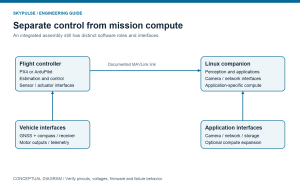
A companion computer provides an application environment for work such as perception, custom planning, data processing and networking. The autopilot remains a distinct role responsible for its configured estimation, control and vehicle-management functions. The two exchange information through a documented link. They may occupy separate boards or share an assembly, but their responsibilities should remain explicit.
The PX4 flight-controller selection guide explains the distinction between flight controllers and additional compute for computationally intensive applications. Do not assume every autonomous mission requires Linux: a mission implemented within the selected autopilot’s supported functions may not need a companion at all.
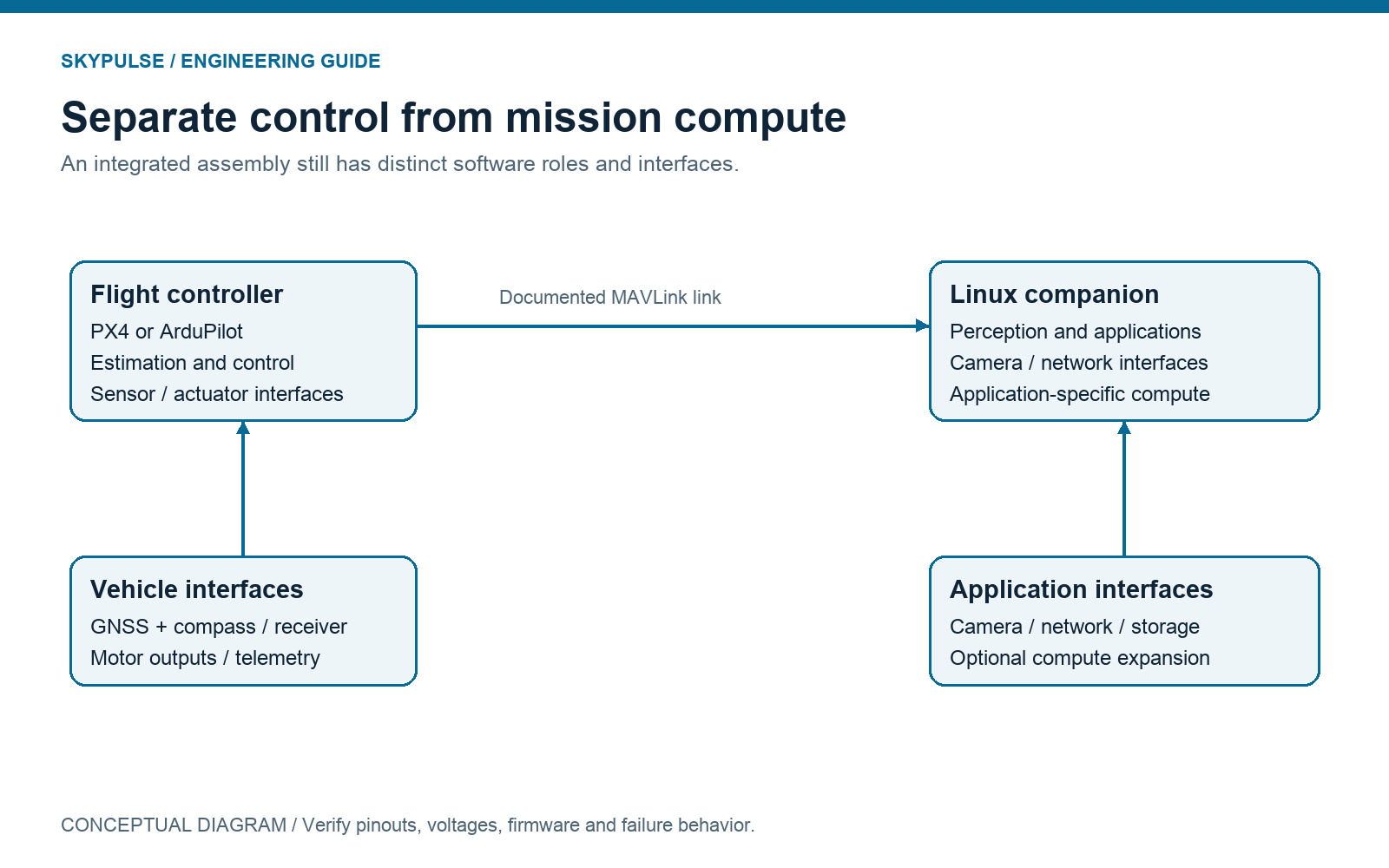
Before choosing hardware, write an ownership statement: which component produces each measurement, which consumes it, which requests vehicle behavior and which defines the response when information stops arriving? “Runs AI” is not an architecture. A perception application needs a specified output, timing requirement and integration path before its compute requirement can be evaluated.
Integrated or external companion: which should you evaluate?
Evaluate an integrated assembly when the supported compute platform matches the application and coordinated packaging matters. It may reduce the number of separately selected components and external connections. Verify the delivered configuration, accessible interfaces, cooling and support boundary rather than assuming that physical integration solves software integration.
Evaluate a separate companion when workload or lifecycle requirements dominate. A project may depend on a particular accelerator software ecosystem, need a substantially different power envelope, or require compute replacement without changing the autopilot. Those needs can justify additional harness and packaging work. Compare the resulting complete installation, not just the companion module.
Evaluate a modular carrier when replaceability and interface layout matter. Holybro’s Pixhawk RPi CM4/CM5 baseboard documents a compatible autopilot/companion arrangement with an internal TELEM2 link. Integrated Raspberry Pi and autopilot configurations are therefore a category with multiple implementations, not a capability unique to Helios.
- No substantial application workload: first check whether a supported dedicated autopilot meets the mission.
- Linux workload compatible with the supplied platform: compare integrated and modular assemblies using the same software and peripheral requirements.
- Specialized accelerator or independent compute upgrades: compare an external companion with a documented autopilot link.
- OEM carrier or serviceability requirement: include module compatibility, connector access and replacement procedure in the shortlist.
These are selection heuristics, not performance results. The best architecture is the one that meets your application’s measured needs with a maintainable configuration and an understood failure boundary.
Define a workload that can actually be tested
Specify the input before the processor. Record camera model, connection, resolution, frame rate, synchronization requirements and driver availability. If the application uses other sensors, document their data format and timing too. A fast processor with an unsupported capture path is not a complete solution.
Next record the software: operating system, library versions, model format, runtime, dependencies and any accelerator requirement. Compatibility with OpenCV, ROS or an inference framework is not proof of a particular frame rate or end-to-end latency. A supported development environment and a validated application are different deliverables.
Measure the whole pipeline under representative conditions: acquisition, preprocessing, inference or algorithm execution, postprocessing and delivery of the result to its consumer. Identify whether the application can discard stale frames, must preserve timestamps or must signal that a result is unavailable. A single model benchmark excludes much of this integration work.
Define the storage and network behavior as well. Logging every frame may have different resource demands from retaining selected events. Streaming data over a network changes the communication workload. Run the intended combination when evaluating sustained behavior; do not combine isolated best-case measurements into a claimed system result.
Power and cooling are acceptance criteria
Budget the companion, flight controller, camera, navigation module, communications, peripherals and power conversion together. Evaluate startup, sustained workload and the application’s significant transitions. Test the installed cooling and enclosure assumptions. A configuration that works briefly on an open bench has not demonstrated sustained operation in the final assembly.
For a fuller worksheet, see IMU redundancy, vibration and whole-system power validation. No power, thermal or inference measurements are reported in this article; these are recommended evaluation tasks.
Where does Helios fit in an edge-compute drone?
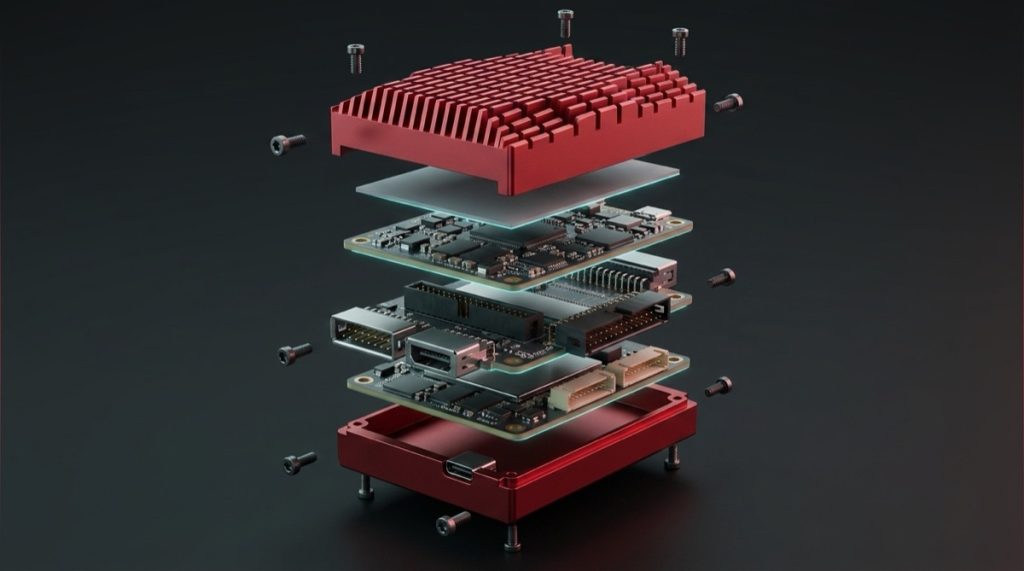
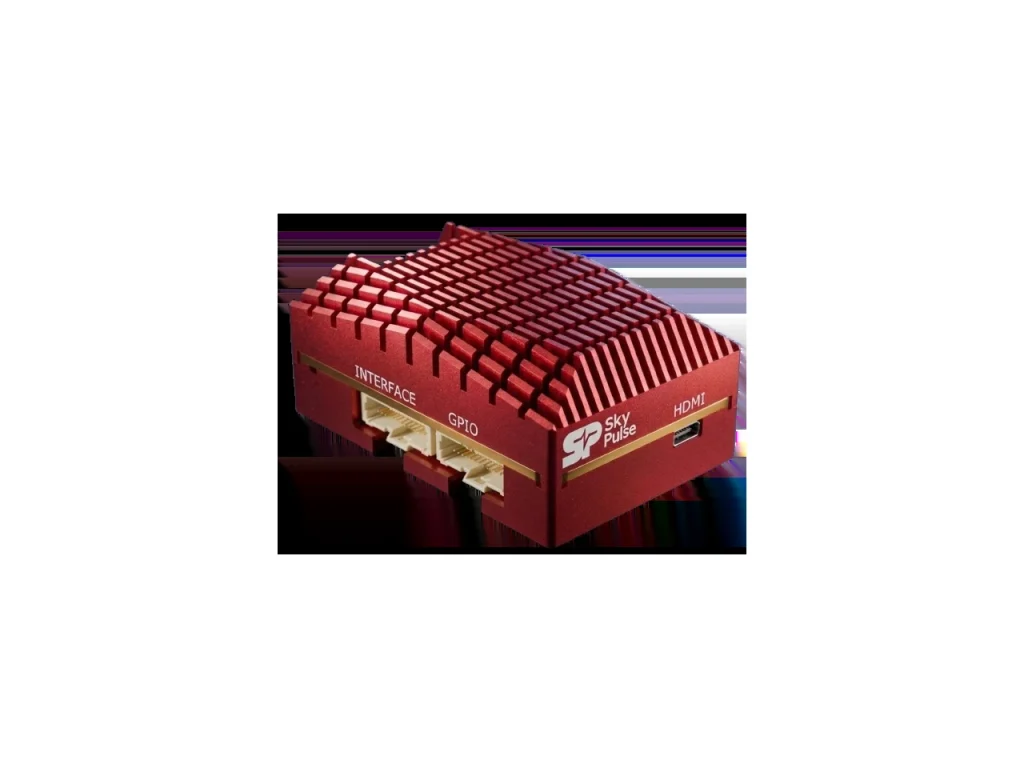
The Helios specification documents a Raspberry Pi Compute Module 5 companion alongside the flight controller, with memory and eMMC configuration options, camera and network interfaces, and PCIe expansion. This makes Helios a candidate for applications that fit that hardware and software environment.
Check the actual purchased configuration. An expansion interface does not mean an accelerator is included. A platform that can host perception software does not imply that an obstacle-avoidance package, trained model or demonstrated autonomy behavior ships with every unit. Confirm the bill of materials and supplied software explicitly.
SkyPulse documents ArduPilot and PX4 support, with ArduCopter supplied by default. Treat this as the manufacturer’s support statement, not a claim of independent certification or identical upstream maintenance across releases. Use the image and instructions appropriate to the current hardware revision.
The Evaluation Kit combines Helios, SkyNav Standard and the Breakout Board. The Breakout Board provides documented Ethernet and USB access; its USB host/device switch matters during setup. Read the selected mode and connection instructions before attempting flashing or attaching peripherals.
How do you connect the Helios companion to the flight controller?
Prove the basic MAVLink connection before adding your autonomy application. The Helios getting-started guide maps the companion’s /dev/ttyAMA0 to the flight controller’s UART4/Serial 3. It describes MAVLink 2 with a 921600-baud connection.
Use the current guide to install the required software and select the appropriate firmware protocol and baud-rate options. Firmware parameter encodings can differ from the labels displayed by the ground-control application. The baud argument below is in bits per second; do not assume the same raw number is the correct stored value for every autopilot parameter.
# Documentation example; not tested on hardware for this article.
# Requires MAVProxy installed as described in the SkyPulse guide.
~/.local/bin/mavproxy.py --master=/dev/ttyAMA0 --baudrate=921600
The guide describes a successful vehicle-detection message such as Detected vehicle 1:1 on link 0. This establishes a basic connection, not a complete application acceptance result. Record the actual firmware identity and communication outcome, then add only the data streams the application requires.
If the link does not work, check the documented device node, operating-system permissions, port assignment, protocol, matching baud rate and whether another process owns the port. If a minimal connection works but the full application does not, investigate the additional streams, resource load and ownership assumptions instead of changing unrelated settings at random.
Validate timing, disconnects and recovery deliberately
Define what the companion must do when the autopilot is unavailable, and what the vehicle system must do when the companion cannot produce valid information. The correct response depends on the selected firmware, flight mode and application. This article does not prescribe universal failsafe parameters.
Include a companion restart and an interrupted communication path in the appropriate controlled evaluation plan. Observe whether the application detects stale data, exposes its health and recovers as designed. Keep these checks separate from flight testing; begin with propellers removed and follow your organization’s test procedures.
Maintain a reproducible configuration record. Save firmware version, parameters, companion OS, packages, application commit or release, model artifacts, peripheral list and test workload. Otherwise, an upgrade can change behavior without leaving enough evidence to explain it.
- Confirm the exact hardware and software configuration.
- Verify camera and other peripheral access individually.
- Establish the minimal documented autopilot communication link.
- Add application-specific messages and check timing and ownership.
- Evaluate sustained workload with installed power and cooling.
- Check defined interruption and restart behavior on the appropriate test platform.
- Preserve logs, acceptance results and unresolved issues before advancing the project.
Frequently asked questions
Do PX4 or ArduPilot drones always need a companion computer?
No. Add one when the application requires computing or software outside the supported autopilot functions. Begin with mission requirements, not an assumption that every autonomous vehicle needs a Linux computer.
Is Helios a Jetson-based controller?
No. The documented Helios companion is a Raspberry Pi Compute Module 5. Select a different compute architecture if your application specifically requires another platform’s accelerator ecosystem.
Does an integrated controller guarantee lower latency?
No general latency result follows from packaging alone. Measure the complete application, interfaces and scheduling behavior under the intended workload.
Does MAVLink vehicle detection mean the autonomy stack is ready?
No. It confirms basic communication. Application data validity, timing, firmware behavior, recovery and vehicle-level validation remain separate requirements.
What should I send SkyPulse before evaluating a configuration?
Send the firmware target, camera and peripheral list, software dependencies, workload, power and packaging constraints, and required behavior when companion output is unavailable. These details allow a more useful integration discussion than a request for a generic “AI drone computer.”
Build the evaluation around your application. Explore the SkyPulse documentation, review the Evaluation Kit, or talk to an engineer. Product statements above are documentation-based; architecture guidance is engineering interpretation, not a report of comparative testing.
- Drone Companion Computer: Integrated vs External Compute for PX4 and ArduPilot
 Choose integrated or external drone companion computing from your camera, software, power and timing requirements. Includes a documented Helios MAVLink bring-up example and validation checklist.
- Drone Flight Controllers for PX4 and ArduPilot: Top 7
 Compare the top drone flight controllers for PX4 and ArduPilot in the U.S., ranked by integration effort, compliance, capability, and total cost.